


Why Integrate AI Humanizer Small SEO Tools With Your Workflow?
An AI humanizer does exactly what the name suggests: it rewrites AI-generated text so it reads like something a person actually wrote. These tools adjust sentence rhythm, vary word choice, and eliminate the telltale patterns that detection algorithms flag—repetitive structures, overly consistent phrasing, and that peculiar lack of personality that gives machine text away. If you’re publishing content at scale, you’ve likely run into the problem: your AI drafts get flagged, your rankings suffer, and you waste time manually rewriting everything.
Here’s why that matters for your SEO workflow. Google’s algorithms have gotten remarkably good at identifying content that lacks human fingerprints. The 2024 Helpful Content Update made this explicit—the system now prioritizes original, people-first content over material written primarily to rank. When your AI-generated articles get tagged as unoriginal, you’re not just losing a few points on a detection score. You’re watching your organic traffic decline because search engines have decided your content doesn’t deserve visibility.
The solution isn’t to abandon AI tools. It’s to build a workflow that combines AI efficiency with human-quality output. This article walks you through exactly that process—screenshot by screenshot—showing how to integrate humanization directly into your existing SEO tool stack. You’ll see how to connect a humanizer with Yoast SEO for on-page optimization, and with SEMrush for content strategy and keyword targeting. The goal is a pipeline where AI generates drafts, the humanizer refines them, and your SEO tools ensure everything stays optimized for search.
The time savings here are substantial. Workflow automation can save employees 60-90 minutes of productive time every single day by eliminating repetitive copy-pasting and manual rewriting. That’s not theoretical—it’s the kind of measurable efficiency gain that makes or breaks content operations at scale. The global workflow automation market was valued at $20.3 billion in 2023, and it’s growing at over 10% annually because businesses are realizing that manual processes are the bottleneck.
Consider what Hastewire did in January 2026 when it launched its Zapier integration. The platform connected its AI humanizer across 70+ business tools including Google Docs, Notion, Slack, WordPress, and HubSpot. Instead of manually copying AI-generated text into a humanizer, then pasting the output into your CMS, the entire process became automated. Pre-built templates let you humanize drafts from specific Google Docs folders automatically, run content through the humanizer before WordPress publishing, and batch process Airtable rows marked ‘Draft.’ That’s the kind of workflow that turns a 90-minute daily task into a background process.
If you’re looking for practical starting points, check out our guide to the best free AI humanizer tools for SEO to understand what’s available without upfront investment. The integration approach we’ll cover works across most platforms, so you can start small and scale up.
The real opportunity isn’t just avoiding detection. It’s building a content engine that produces genuinely useful material at AI speeds while maintaining the quality that search engines reward. That’s what the following walkthroughs will show you—practical, repeatable steps to make your SEO workflow faster and your content more effective.
Current Integration Gaps in Yoast and SEMrush
You’ve seen the promise of AI humanizers woven into your SEO workflow. But the reality is, the tools you likely rely on have some notable gaps. Let’s look at where Yoast and SEMrush fall short, and why a manual workaround isn’t a long-term solution.
The Yoast SEO Read-Only Problem
If you use Yoast SEO, you know its REST API is excellent for reading data. It delivers critical SEO metadata like titles, descriptions, and schema directly to headless frontends without manual configuration. That’s great for display. But here’s the catch: the API is currently read-only. It does not support POST or PUT calls to update that metadata programmatically. So, if you want to update SEO titles and meta descriptions for hundreds of posts after running them through a humanizer, you’re stuck doing it manually.
That’s a massive bottleneck. Marketing teams have found workarounds using third-party automation platforms like n8n and Pipedream. These tools can send POST requests to custom endpoints, effectively writing to Yoast’s metadata fields. An n8n workflow, for instance, can pull data from a Google Sheet and dynamically update SEO titles for hundreds of posts. The result? Teams report saving 5-10 hours weekly by eliminating that manual copy-paste grind. One company even used a bulk SEO optimizer to process 8,400 archived articles in just six hours—a task that would have taken weeks manually.
SEMrush’s Integration Limits
SEMrush is a powerhouse, but its integration ecosystem has its own boundaries. The SEMrush Content Toolkit integrates natively with WordPress, Mailchimp, Social Poster, and Zapier for content repurposing and distribution. That’s useful for publishing, but it doesn’t directly solve the humanization problem. You can’t pipe content through an AI humanizer and then automatically update the SEMrush-optimized metadata back into your CMS. The SEMrush Enterprise tier does offer API integrations for advanced workflows, but that’s a significant investment and still requires custom development to bridge the humanization gap.
The Missing Link: Automated Humanization
This is where the real gap lives. You have a powerful SEO tool (SEMrush) and a powerful on-page optimizer (Yoast), but neither natively handles the AI humanization step. You’re left with a manual process: generate content, humanize it in a separate tool, copy the output, paste it into your CMS, then manually update the SEO metadata.
That’s why dedicated integrations are so valuable. In January 2026, Hastewire launched a Zapier integration that automates AI text humanization across more than 70 tools, including Google Docs, WordPress, and HubSpot. This eliminates the copy-paste bottleneck entirely. You can set up a workflow where content from a Google Doc is automatically humanized and then published to WordPress with the right metadata.
The technology is ready. AI humanizer APIs from platforms like AIHumanize, RewriteAI, and Undetectable.AI achieve roughly an 80% success rate in bypassing AI detection tools. The RewriteAI Humanizer API, for example, can be integrated directly into agent frameworks like LangChain and CrewAI, allowing AI agents to autonomously humanize their own outputs. The pieces are there—they just need to be connected.
For a deeper dive into the best tools available, check out our guide on the best AI humanizer tools for 2026.
The manual workaround is a temporary fix. The real opportunity is in building automated pipelines that connect your SEO tools, your content generation, and your humanization layer. That’s where the 5-10 hours per week savings and the 80% bypass rates become a reality, not just a promise.
Step-by-Step: Integrating AI Humanizers with Yoast SEO
The gaps are clear—Yoast gives you the metadata, but you can’t write to it without some assembly. Here’s how you bridge that with a few hours of setup and save your team a full workday each week.
Building the n8n Workflow
Start with n8n, the open-source automation tool. The without manual configuration—titles, descriptions, schema—but it’s read-only out of the box. You need a middleware layer to write back.
Create a new workflow triggered by “Webhook” or “Schedule.” For real-time updates, use the WordPress “When a post is created” trigger node. This fires whenever a new article lands in your CMS.

Adding the HTTP Request Node
Add an “HTTP Request” node to call your AI humanizer API. Services like RewriteAI and Undetectable.AI offer endpoints that AIHumanize, RewriteAI, and Undetectable.AI. Configure it as a POST request with your API key in the headers and the raw AI-generated content in the body.
Map the response—the humanized text—back into n8n using expressions like `{{ $json.humanized_text }}`. This becomes your new SEO title or meta description.
Writing Back to Yoast
Here’s the critical piece. n8n and Pipedream. Install that plugin on your WordPress site. It exposes a custom endpoint at `/wp-json/yoast-api/v1/update-meta`.
Add a second HTTP Request node in your n8n workflow. Configure it as a POST to that endpoint with your WordPress credentials. The body should include the post ID and the humanized fields:
“`json { “post_id”: “{{ $json.post_id }}”, “yoast_seo_title”: “{{ $json.humanized_title }}”, “yoast_meta_desc”: “{{ $json.humanized_description }}” } “`
Run a test. If the response returns a 200 status, you’re live.
The Time Savings
Here’s what this actually saves you. Marketing teams using this exact n8n workflow template report saving 5-10 hours weekly. Instead of a writer manually humanizing each title and description, then copy-pasting into Yoast’s editor, the entire pipeline runs in seconds. Connect it to a Google Sheets trigger, and you can dynamically update hundreds of posts from a single spreadsheet using expressions like `{{ $json.column_name }}`.
The setup takes an afternoon. The payoff is a full workday back every week.
Automating Humanization Within SEMrush Content Marketing
The Yoast integration gives you control at the page level. But if you’re managing a content calendar across multiple channels, you need something that scales beyond individual posts. That’s where SEMrush’s ecosystem comes in.
SEMrush Content Toolkit lets you build end-to-end workflows that start with AI-powered generation and end with distribution across WordPress, Mailchimp, and social channels—all from a single workspace. The platform SEMrush Content Toolkit, which is the key to adding humanization into the pipeline without manual intervention.
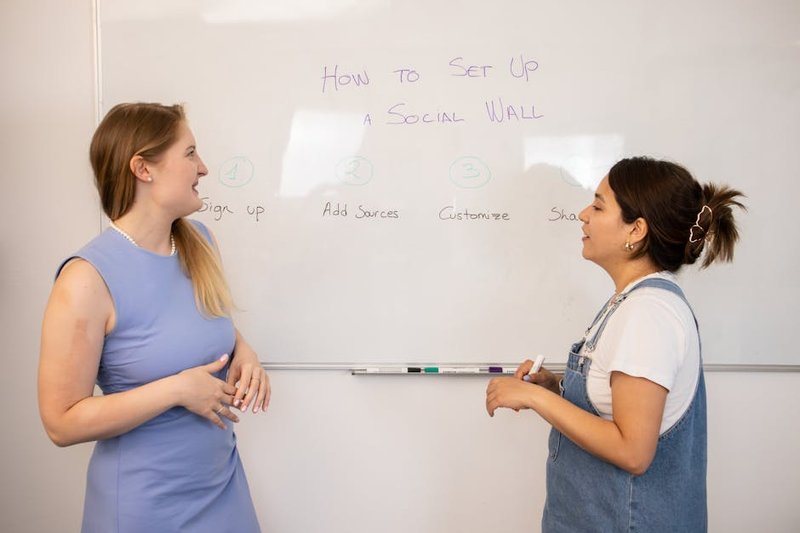
Here’s how the automation chain works. You set up a Zapier trigger that fires when SEMrush generates a new piece of content. That trigger sends the AI-written draft to a humanizer API—choose from AIHumanize, RewriteAI, or Undetectable.AI—which processes the text and returns a humanized version. The final step updates the post in your CMS or sends it to your editorial queue. The entire cycle runs in the background.
The numbers make a strong case for this approach. AI humanizer APIs achieve roughly 80% bypass success rates against detection tools, meaning four out of five pieces pass as human-written. And the time savings are substantial: Workflow automation can save employees 60-90 minutes of productive time every single day by eliminating repetitive copy-paste tasks.
Hastewire’s Zapier integration, launched in January 2026, takes this further. It connects to Hastewire launched a Zapier integration including Google Docs, WordPress, and HubSpot. You can set up pre-built templates that automatically humanize drafts from a Google Docs folder before they hit WordPress, or batch-process Airtable rows marked “Draft.” No manual transfer, no context switching.
For enterprise teams, SEMrush Enterprise tier that support custom workflows at scale. You’re not limited to Zapier’s pre-built connectors—you can build bespoke automation that fits your exact content pipeline.
| Workflow Step | Tool | Action |
| Content generation | SEMrush Content Toolkit | AI draft created |
| Trigger | Zapier | Detects new content |
| Humanization | Hastewire / RewriteAI API | Text processed |
| Distribution | WordPress / Mailchimp | Published or queued |
The real win here isn’t just bypassing detection—it’s removing the friction that kills content velocity. When your team doesn’t have to manually copy drafts into humanizer tools and paste them back, you eliminate a bottleneck that slows down publishing by hours each week. For teams already exploring how GEO and SEO strategies work together for local markets, automating humanization within SEMrush keeps the focus on strategy rather than repetitive tasks.
Frequently Asked Questions
You’ve automated your SEO workflows and humanized your AI content at scale. But the practical questions don’t stop there. Here’s how the most common integration puzzles actually get solved.
Can Yoast SEO directly integrate with an AI humanizer?
Not directly. Yoast SEO doesn’t ship with a native humanizer connector. You need middleware—usually Zapier or a custom API bridge—to pass content between the two. Yoast’s REST API handles metadata like focus keywords and readability scores, so your middleware can preserve those fields while routing text through a humanization step. If your workflow keeps Yoast’s data intact, the integration works fine.
Can you connect an AI humanizer to SEMrush?
Yes. SEMrush offers two paths: its Content Marketing API (enterprise tier) or a Zapier connection. The Zapier route is simpler—trigger a humanization step when SEMrush pushes a draft to your CMS. The API route gives you more control over batch processing and metadata mapping. Either way, you’re not locked out.
Which humanizers offer Zapier integration?
Several do. Hastewire launched its Zapier integration in January 2026, connecting to 70+ business tools. RewriteAI and Undetectable.AI also support Zapier, making them plug-and-play options. AIHumanize and GPTHuman offer API access instead, which works if you’re building custom workflows in n8n or LangChain.
How do you add an approval step before humanized content goes live?
Use Zapier paths or n8n conditional logic. Set a rule: after humanization, route the draft to a Slack or email approval channel. Only if approved does the workflow push it to your CMS. This prevents unvetted content from hitting your site—critical when you’re processing dozens of articles daily.
Can you batch-process multiple articles through a humanizer?
Yes, via API. Most humanizer APIs accept bulk requests. You send an array of texts, and the service returns humanized versions in a single response. Batch processing cuts per-article overhead to near zero. If you’re running 50 articles a week, that’s hours saved.
Does humanization preserve SEO metadata like focus keywords?
It depends on the method. API-integrated humanization keeps metadata intact because the workflow passes fields alongside the text. Manual copy-paste humanization often strips formatting and metadata—you lose your Yoast fields. The automation route is safer for SEO continuity.
Will automated humanization break Yoast’s readability scores?
Not if your workflow preserves Yoast’s fields. The humanizer changes the text body, but Yoast recalculates scores on the new content. If the humanization improves natural language flow, readability scores often go up. You can test this by running a sample through your Zapier path and checking Yoast’s output.
How much time does automated integration save?
Roughly 5–10 minutes per article. That’s the time you’d spend manually pasting text into a humanizer, adjusting settings, copying back, and re-checking metadata. For a team producing 20 articles weekly, that’s 2–3 hours reclaimed per week—time better spent on strategy.
Can you add quality gates to catch poor humanization?
Yes. Use conditional logic in n8n or Zapier to check output quality. For example, if the humanized text still triggers an AI detector, route it back for reprocessing. You can also set a minimum readability score threshold. This keeps low-quality output from reaching your CMS.
Do humanizers offer reporting dashboards?
Some do. Hastewire and Undetectable.AI provide dashboards showing detection bypass rates and processing volume. You can integrate these metrics into your own reporting via webhooks. For a deeper look at how these tools compare, check our roundup of the best AI humanizer tools for 2026.

The answers here point to a clear pattern: middleware and APIs turn isolated tools into integrated systems. The question isn’t whether you can connect them—it’s how cleanly you want the handoff to happen.
Conclusion: Streamline Your SEO Content with AI Humanizer Integration
The workflow automation market is now valued at global workflow automation market was valued at $20.3 billion in 2023—and for good reason. Integrating AI humanizers with tools like Yoast and SEMrush isn’t just about saving time; it’s about fundamentally changing how you produce content that ranks. The math is straightforward: automation saves 60-90 minutes per employee daily, and that time compounds across every piece of content you publish.
Singapore SMEs are already proving the model works. Under IMDA’s Productivity Solutions Grant, businesses adopting AI-powered SEO automation reported an average 52% cost savings in 2024. With Singapore’s digital economy now at 18.6% of GDP and over 70% of companies using AI, the competitive gap is widening between those who automate and those who don’t.
This is where Fivebucks AI becomes the logical next step. Instead of stitching together separate tools for AI humanization, SEO optimization, and lead generation, you get one platform that optimizes for Google and AI Search simultaneously, drives targeted traffic, and converts visitors into qualified leads. No more context-switching between dashboards. No more manual handoffs between content creation and SEO analysis.
If you’re serious about streamlining your SEO workflow for Singapore’s competitive market, the path forward is clear. Ready to transform your content workflow? Start with Fivebucks AI today.
About Petric Manurung
Petric Manurung is the Founder & CEO of Fivebucks AI, an SEO and GEO platform built for businesses that want to rank in both traditional search and AI-generated results. With 20+ years across global enterprises — Lufthansa Systems, Apple, Toll Group, CEVA Logistics — he has a firsthand understanding of how visibility gaps cost businesses at scale.
He holds an MBA from Western Michigan University and a HubSpot SEO Certification. Fivebucks AI is where that expertise ships as product — giving teams the tools to optimize for the way people actually find things today: search engines and AI answers alike.
Sources & References
This article incorporates information and insights from the following verified sources:
[1] without manual configuration – Yoast (2021)
[2] does not support POST or PUT calls – WordPress.org (2025)
[3] n8n and Pipedream – n8n (2024)
[4] saving 5-10 hours weekly – GrowwStacks (2026)
[5] SEMrush Content Toolkit – SEMrush (2025)
[6] SEMrush Enterprise tier – Adobe for Business (2026)
[7] Hastewire launched a Zapier integration – The AI Journal (2026)
[8] AIHumanize, RewriteAI, and Undetectable.AI – AI Humanize (2025)
[9] Workflow automation can save employees 60-90 minutes of productive time every single day – Gitnux (2025)
[10] 2025 Workflow Automation Trends – PS Global Consulting (2025)
[11] global workflow automation market was valued at $20.3 billion in 2023 – Kissflow (2026)
[12] Bulk SEO Optimizer: Fix 1000 Posts at Once – Rankomata (2025)
[13] SEO WRITING – AI Writing Tool for 1-Click SEO Articles – SEO Writing AI (2025)
[14] Zapier: Automate AI Workflows, Agents, and Apps – Zapier (2026)
[15] Workflow Automation Statistics You Need to Know – Formstack (2023)
[16] AI SEO Singapore: How Businesses Win with AI-Driven Search in 2026 – Audience Intelligence Asia (2026)
[17] Future of AI SEO in Singapore in 2026 – W360 Asia (2026)
[18] AI SEO Services Singapore – The Leading Solution (2025)
[19] Yoast SEO API Integrations – Pipedream – Pipedream (2025)
[20] Humanizer API: AI to Human Text – RewriteAI (2026)
[21] 70 Business Automation Statistics Driving Growth in 2025 – Vena Solutions (2025)
[22] The future of work: workflow automation trends shaping 2025 – ShareFile (2025)
[23] Undetectable AI APIs: Humanizer & AI Detection Integration – Undetectable.AI (2025)
[24] Workflow Automation Statistics: Trends and Insights for 2025 – AI Workflow Designer (2025)
[25] Internal: guide to the best free AI humanizer tools for SEO – https://www.fivebucks.ai/blogs/post/best-free-ai-humanizer-small-seo-tools/
[26] Internal: best AI humanizer tools for 2026 – https://www.fivebucks.ai/blogs/post/best-ai-humanizer-small-seo-tools-2026/
[27] Internal: how GEO and SEO strategies work together for local markets – https://www.fivebucks.ai/blogs/post/seo-geo-strategies-small-businesses-2026/
[28] Internal: streamlining your SEO workflow for Singapore’s competitive market – https://www.fivebucks.ai/blogs/post/geo-or-seo-singapore-smbs-2026/
All external sources were accessed and verified at the time of publication. This content is provided for informational purposes and represents a synthesis of the referenced materials.